

Nothing ruins a day at a theme park like facing endless lines and ending your day having only experienced two or three major attractions. To avoid leaving with a hint of disappointment, being able to track and adapt your schedule in real time based on crowd levels is essential. This is exactly where the Park Trips app and tools come into play.
While most major parks offer their own mobile apps to display wait times, you might not want to clutter your phone with dozens of different apps. Furthermore, when visiting a park abroad, the official app can sometimes be unavailable on your local app store (a frustrating situation many fans have experienced, particularly with Toverland). Park Trips centralizes everything in one place to make your life easier.
Real-Time Wait Times for Major Theme Parks
You can find real-time wait times for numerous major theme parks directly on Park Trips, and this list keeps growing regularly. Wait time data is refreshed every 5 minutes, allowing you to accurately track trends and spot sudden drops in attendance while on the ground.
Wait times are currently available for the following destinations:
- Disneyland Paris
- Walt Disney Studios
- Efteling
- Europa Park
- Toverland
- Universal Studios Florida
- Islands Of Adventure
- Volcano Bay
- Universal Studios Hollywood
- Disneyland Park (California)
- Disney California Adventure
- Magic Kingdom
- Epcot
- Disney's Animal Kingdom
- Disney's Hollywood Studios
User Guide: How to Access and Customize Your Favorite Parks
To make checking wait times as easy as possible, our navigation is completely streamlined: on mobile, open the main menu and select "Wait Times". If you are using a computer (desktop), you will find the direct link located in the website footer.
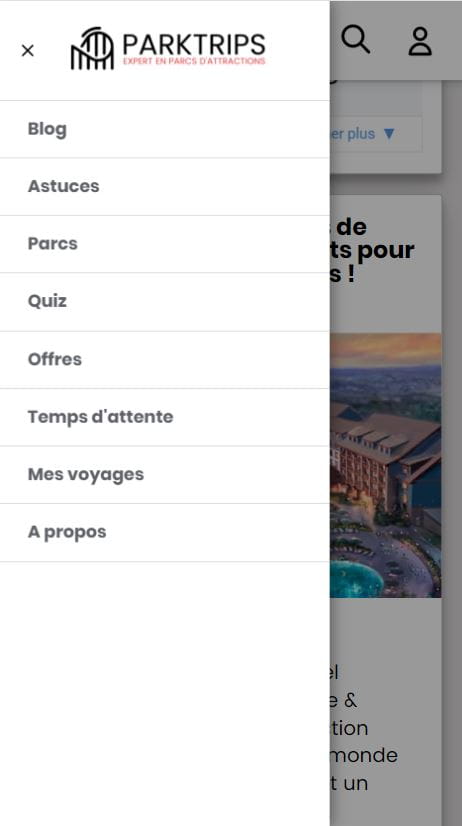
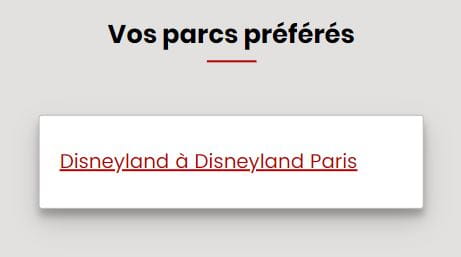
Once on the page, you will see the full list of tracked theme parks. To access your favorite destinations even faster during your trips, you can pin them using the button located just below the park's name. We designed this feature with your convenience in mind: you do not need to be logged into an account to use it. Your favorite parks are saved locally on your device by simply pressing the "Add" ("J'ajoute") button.

As soon as a park is pinned, it automatically moves to the very top of the page, saving you from scrolling through the entire list. Planning a trip soon? Pin it right now! You can, of course, unpin a park at any time by pressing the button again, which will then say "Remove" ("Je retire").
Understanding and Decoding Wait Time Trends
Wait time data refreshes automatically in the background, whether your page stays open or the moment you return to it. If needed, a manual button allows you to force a data refresh.
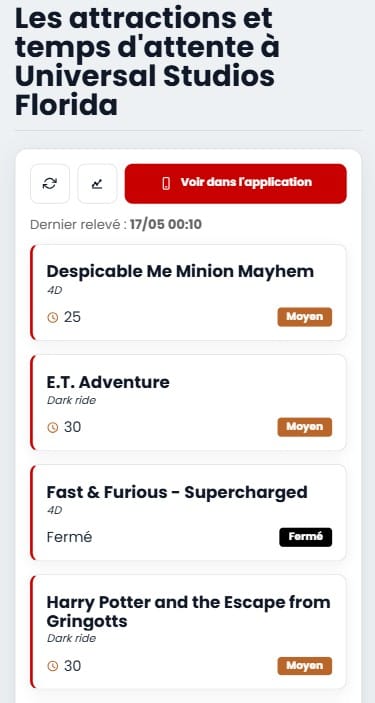
Below each attraction, three specific icons offer key features:
- The first button (double arrow): Instantly refreshes the wait time for that specific attraction.
- The second button (the star): Allows you to rate the ride based on your experience.
- The last button (the graph): Your best ally on the ground, showing you the wait time trend.
The trend graph is the ultimate strategy tool to use during your visit. It compiles the average wait times observed over the last 3 hours (broken down into 30-minute intervals). For instance, if *Peter Pan's Flight* at Disneyland Paris shows a 40-minute line, it might seem long at first glance. However, if the graph reveals that the average over the past few hours was closer to an hour, it is actually the perfect time to head over and jump in line.
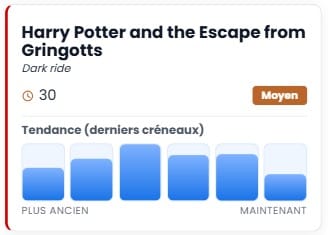
Take the example above with Harry Potter and the Escape from Gringotts. The current wait time is displayed in red on the graph. You can visually see that the curve is trending downward compared to earlier records: that means it's the perfect moment to rush over!
Install the Park Trips App on Your Smartphone
For optimal comfort and even faster access to wait times and trend graphs while inside the parks, Park Trips is available as a mobile app for both iOS and Android devices.
- On iPhone (iOS): Simply add Park Trips to your Home Screen from your browser. The tool becomes instantly accessible from your main screen, functioning exactly like a native app.
- On Android: An installation prompt notification will appear at the top of your browser while navigating the site, allowing you to create your app shortcut in just one click.
In addition to crowd tracking, the app lets you plan your upcoming trips with the community using the shared agenda, chat with other members via the integrated live messaging system, and track your annual stats using the Visit Count.
Moving Toward More Parks and Open Data
Our approach remains driven by objectivity and mutual support among theme park enthusiasts. We continuously add new destinations on a regular basis. In line with this, we actively encourage theme parks to make their wait time data available as Open Data. This allows us to use historical data to build even more accurate crowd calendars and personalized recommendations, helping you optimize every single minute of your travels.





Comments
Be the first to comment!
Add a comment